Meet your all-in-one system.
A website guests love to order from, an app your staff can run the floor on, and a dashboard that shows you the night. All in one, built for The Dava.


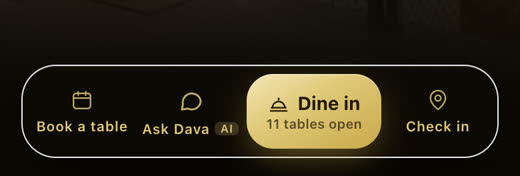
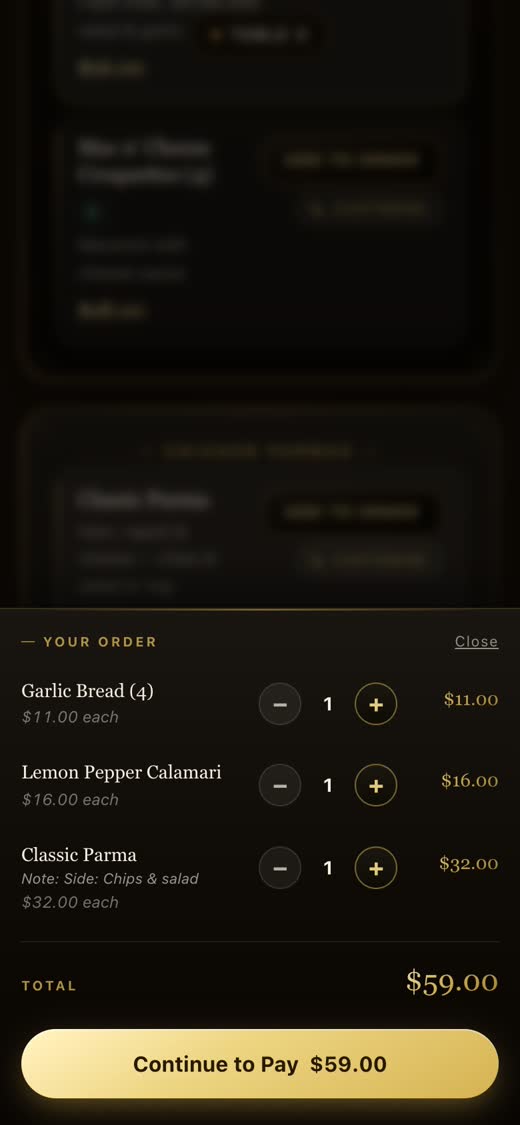
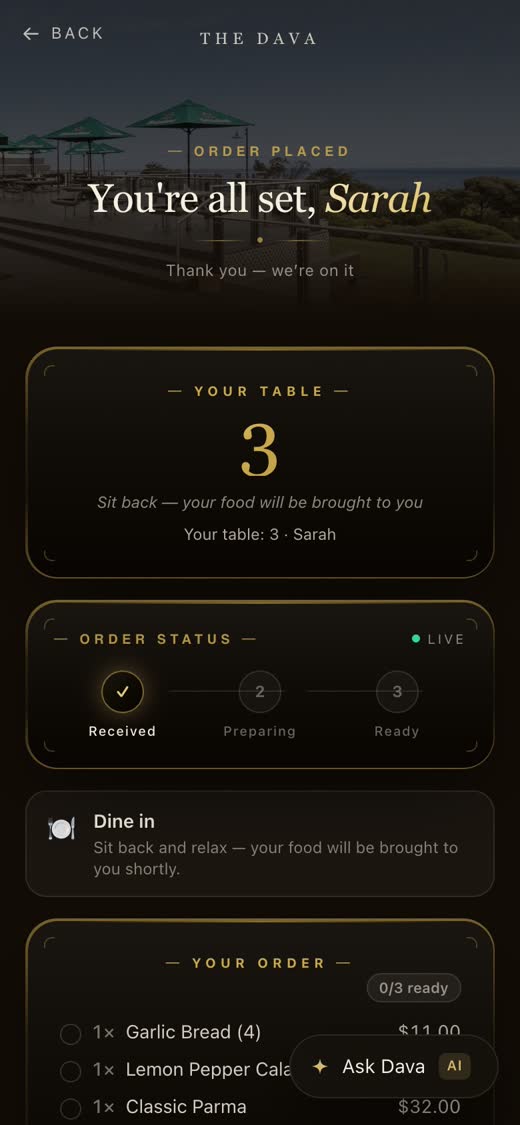
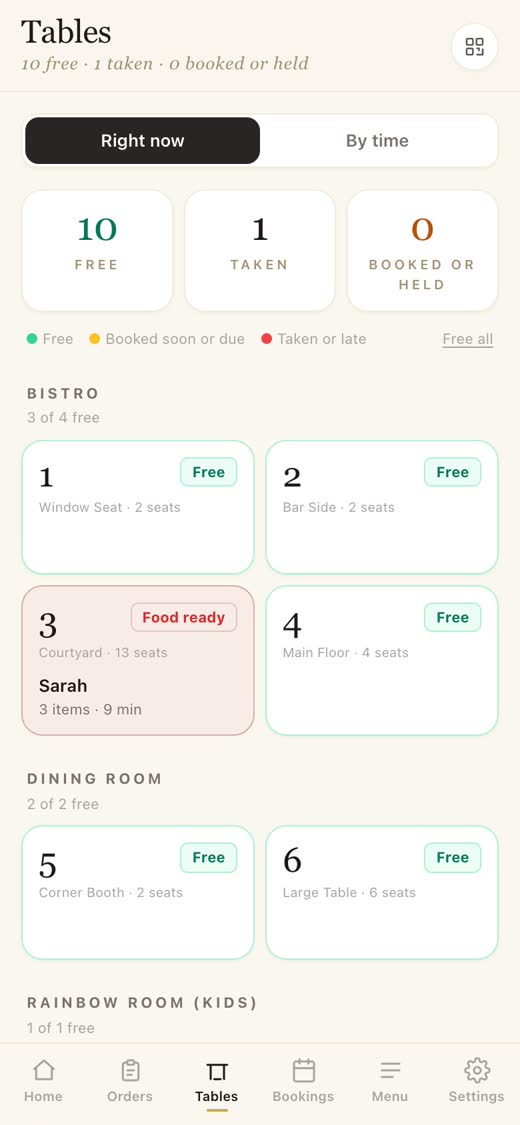
order, book, pay
run service
see your numbers
01 · Introducing the AI
Meet Dava, your AI waiter.
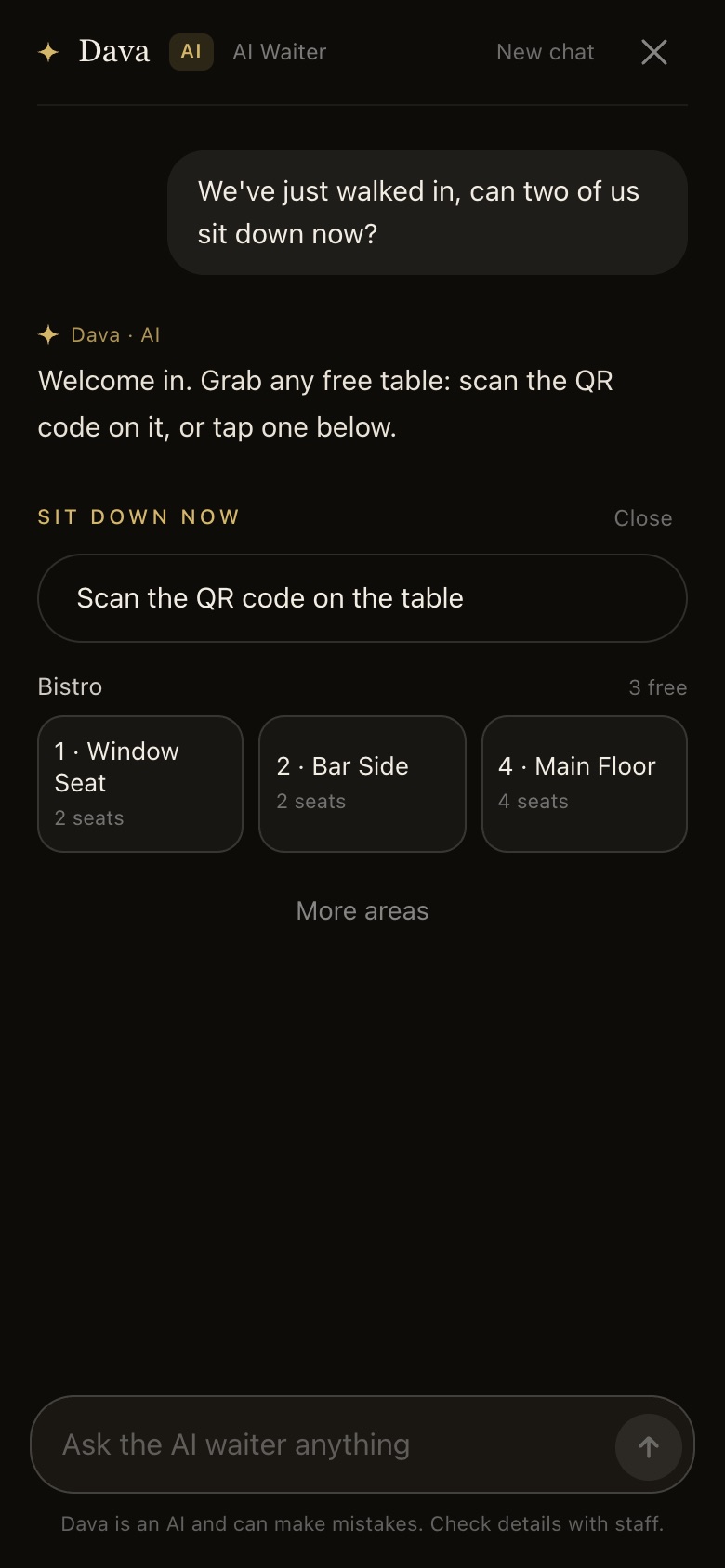
Every guest gets a waiter in their pocket. Dava knows the whole menu, every price and every dietary tag. It takes the order, finds a table and hands over to pay, at every table at once, on the busiest night of the year.
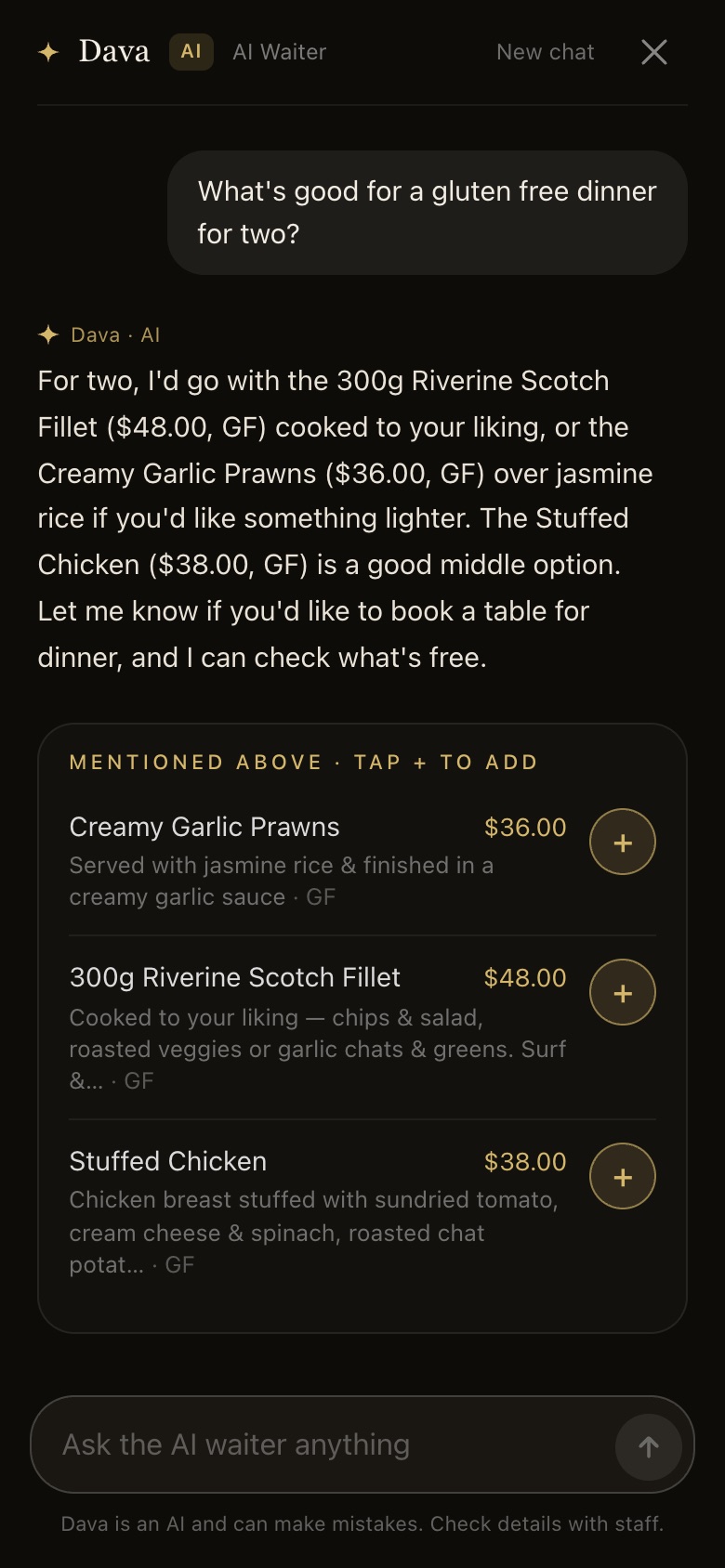
It can’t make up a dish
Every dish Dava suggests comes up as a card built from your menu by the app, with the real price and tags, not typed out by the AI.
The app keeps the order
Items, totals and payment run through the same checkout as the rest of PubPal. The AI suggests; the app does the maths.
It answers when you’re flat out
What’s gluten free, is there a kids menu, how long for a table. Dava answers the questions your staff don’t have time for, so they can keep pouring and serving.
And one for you
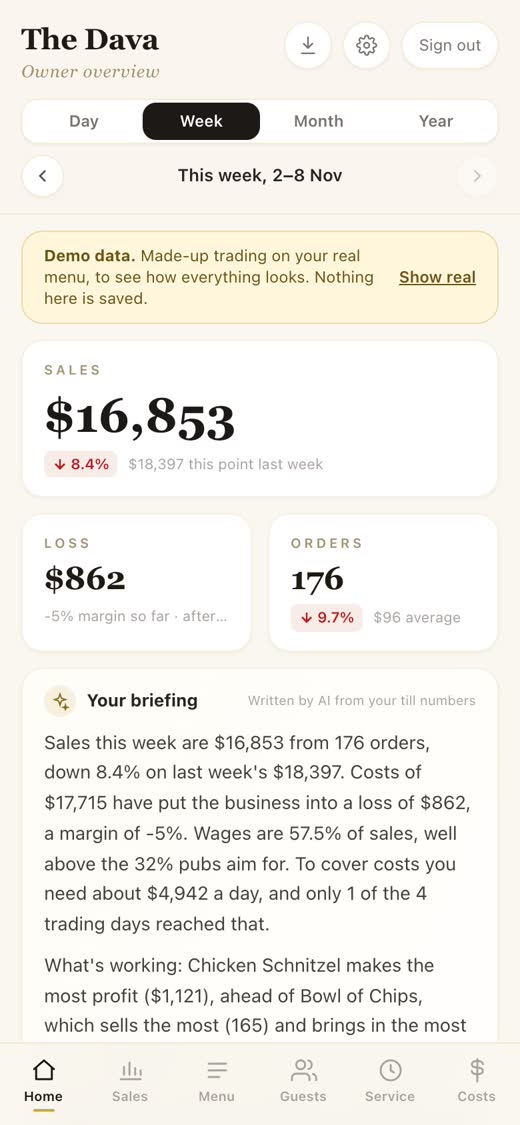
Your briefing, every time you open the app.
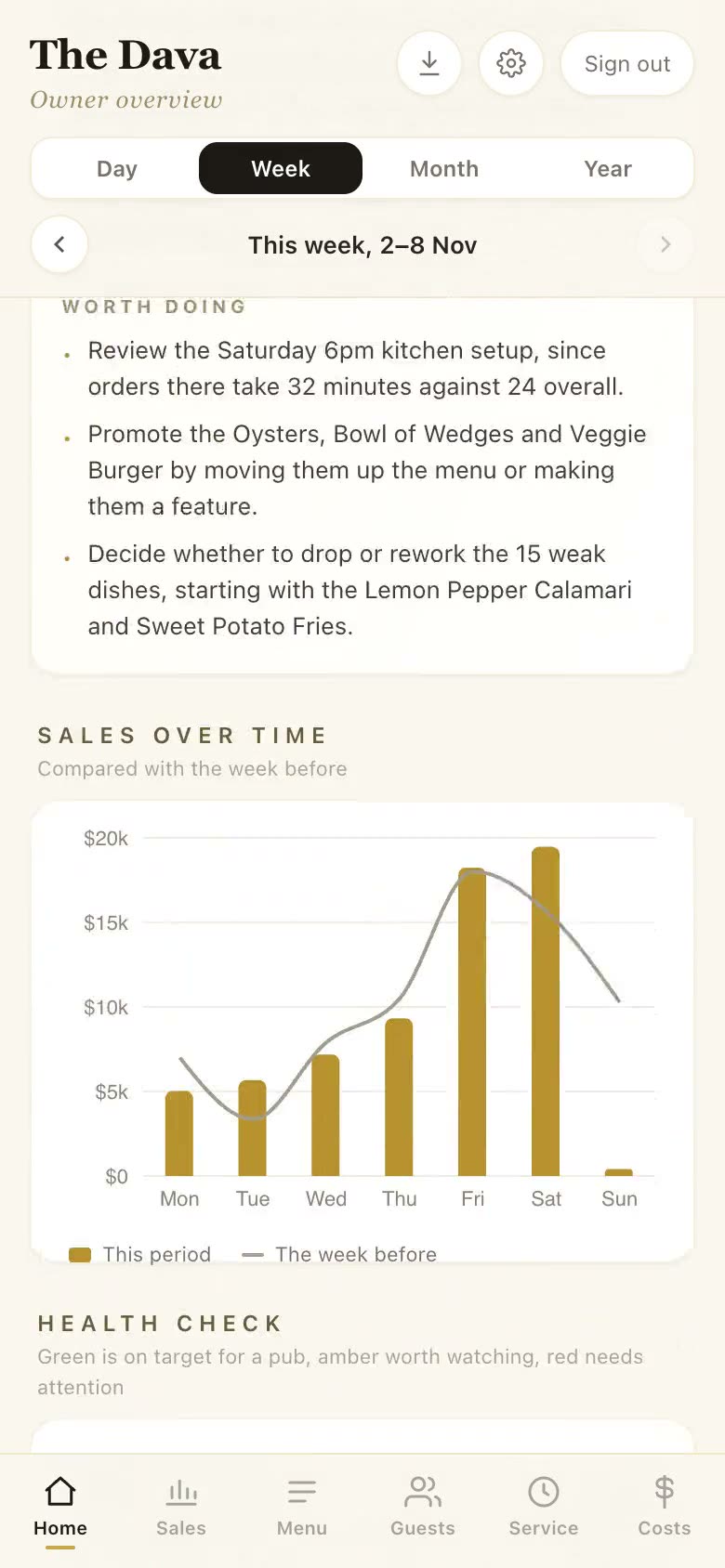
The owner app opens on the week at a glance: sales against the same point last week, profit after costs, what sold the most, what earned the most, your best and quietest days, and what’s worth doing about it.
It’s written from your till numbers, so it never invents a figure. Pick a day, week, month or year and it rewrites itself.
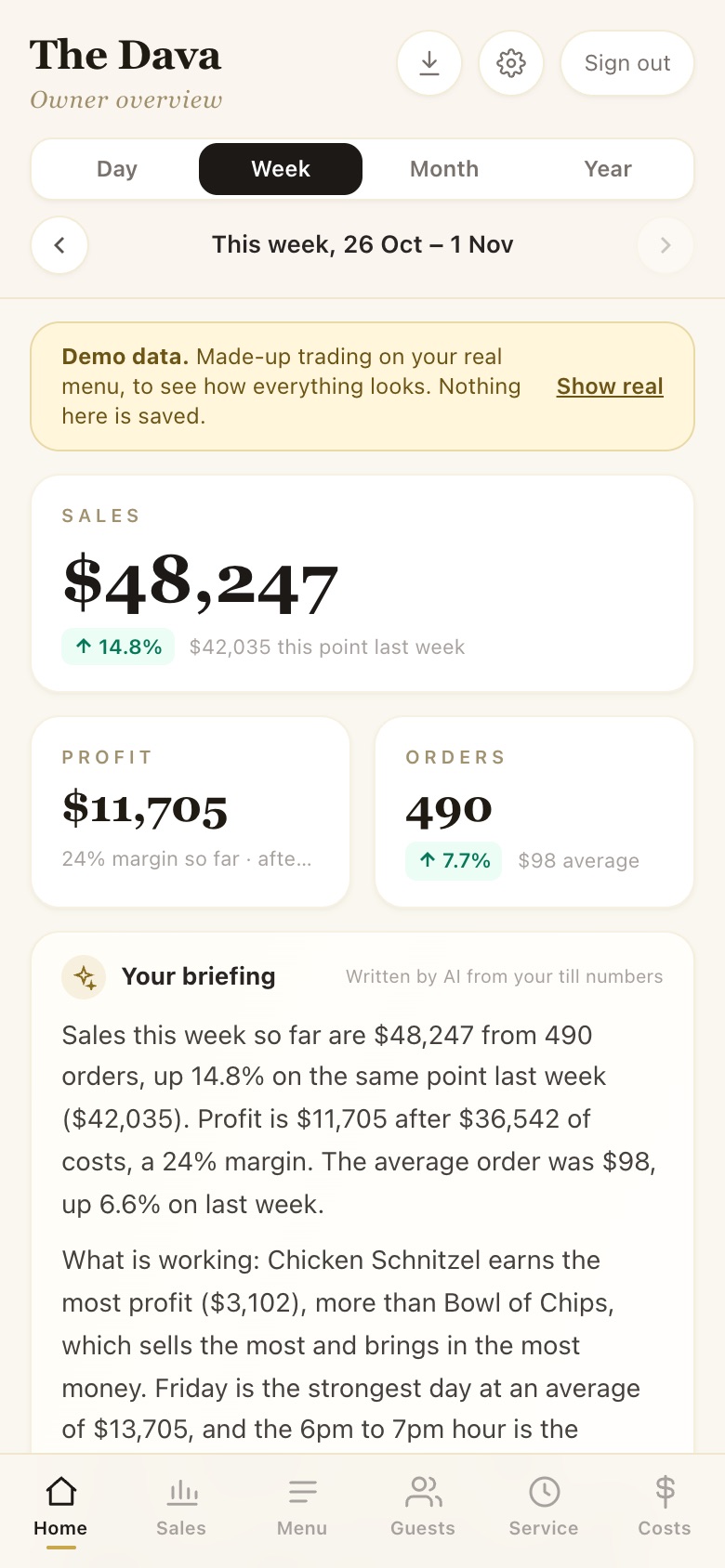
Demo figures
02 · What I built for you
Three sides to the app
Open each on your phone — every page below is live and clickable.
Customer side
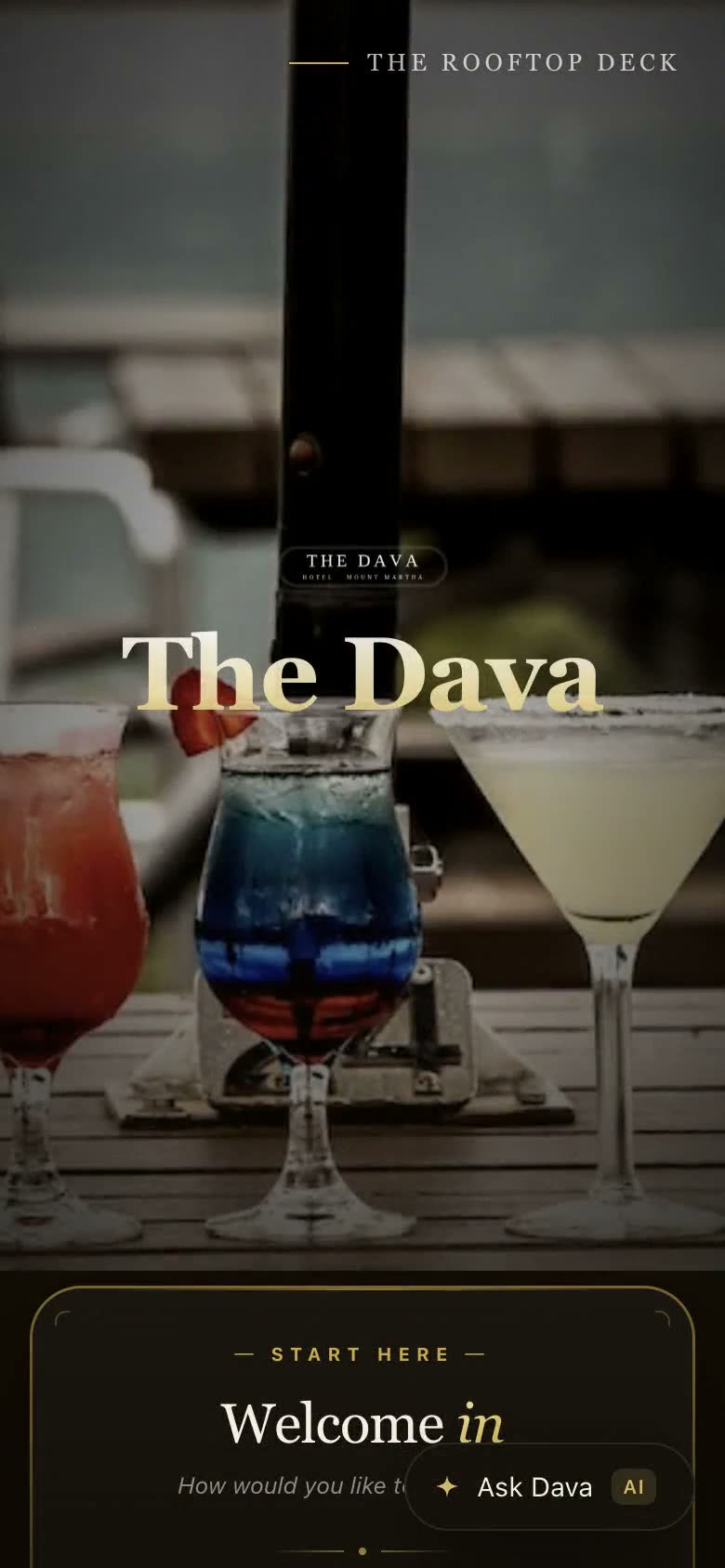
Recorded on the real app
CUSTOMER
Customer side
No login. Open the URL and you are a customer.
- ◆Scan the QR on the table and it’s yours. Friends scan the same code, join your table, and everyone pays for their own.
- ◆Walk in and pick a free table from the live room, grouped by area. Taken tables are greyed out, so nobody doubles up.
- ◆Book ahead with an SMS confirmation. Already booked or seated? Type your mobile and it finds your table.
- ◆Every menu with dietary tags (V, VG, GF, DF), choices like sides and sauces, and Stripe payment by card, Apple Pay, Google Pay or PayTo straight from the bank.
- ◆Dava, the AI waiter, is one tap away on every page.
Staff side
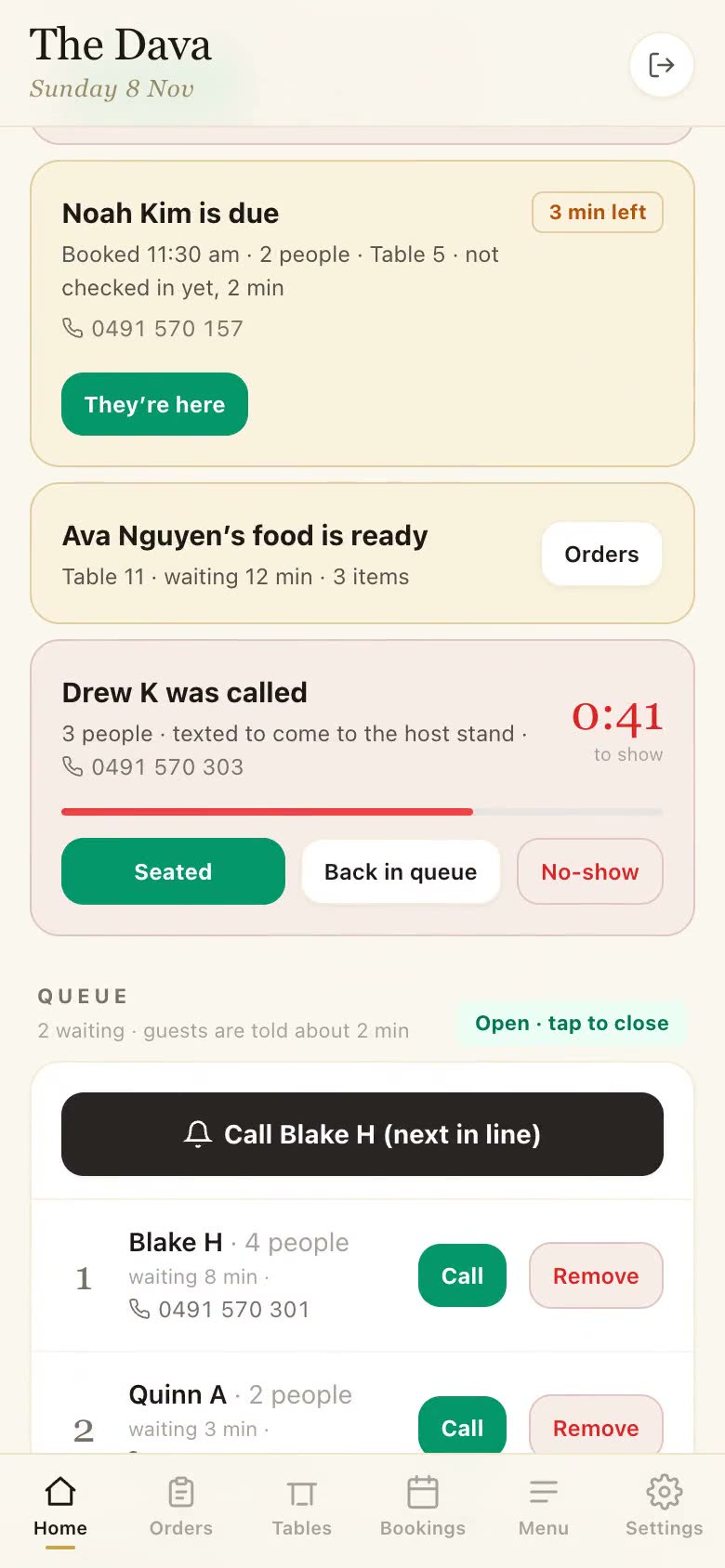
Recorded on the real app
STAFF
Staff side
Demo password: Cat123
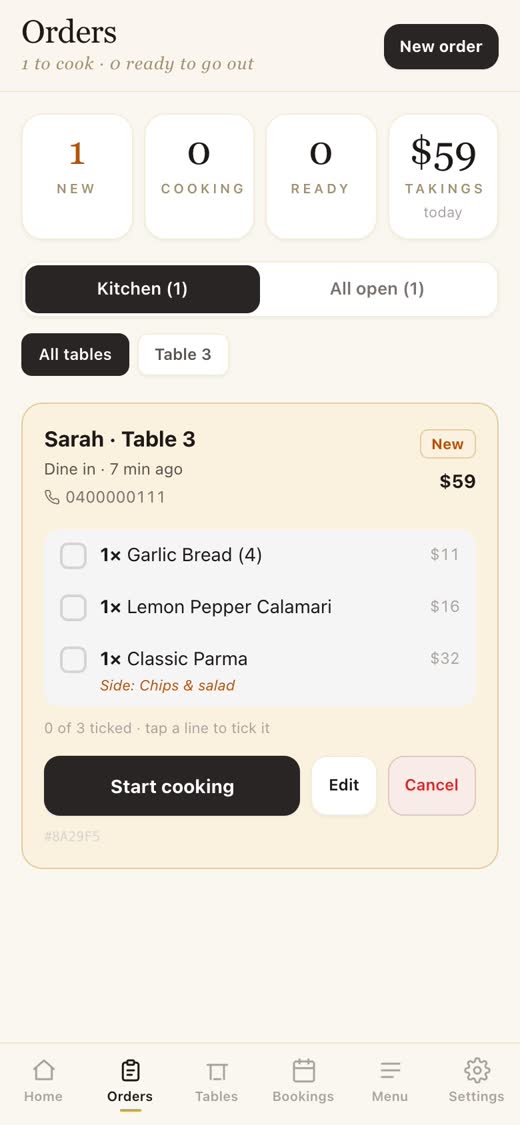
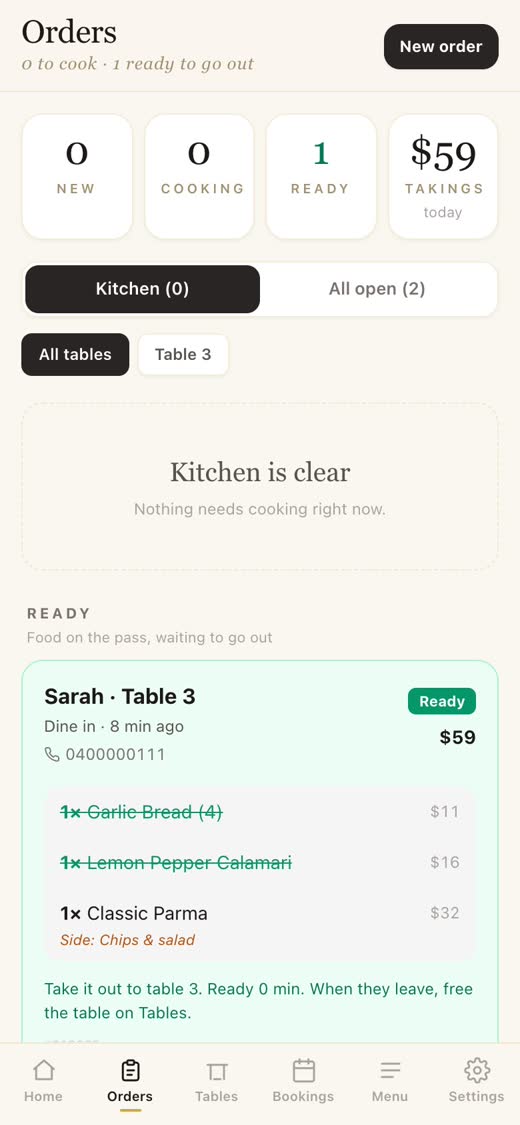
- ◆Home shows what needs you right now: late bookings, food waiting at the pass, and the queue, with one tap to call the next guest.
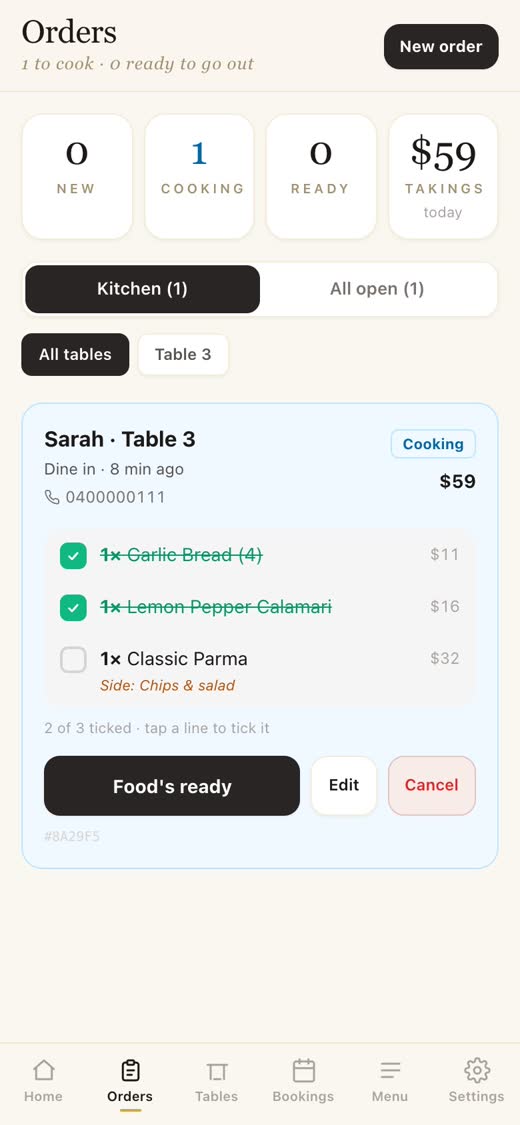
- ◆Orders board: Start cooking, tick each dish as it plates up, then Food’s ready. The guest’s order page updates live in their pocket.
- ◆Tables: every table at a glance (free, taken, booked or due). Tap one for every action, or switch to By time for the night ahead.
- ◆Bookings calendar, menu on/off switches, printable table QR codes and settings, all behind one password.
Owner side
Recorded on the real app · Demo figures
OWNER
Owner side
Demo password: owner2024 · rebuilt October 2026
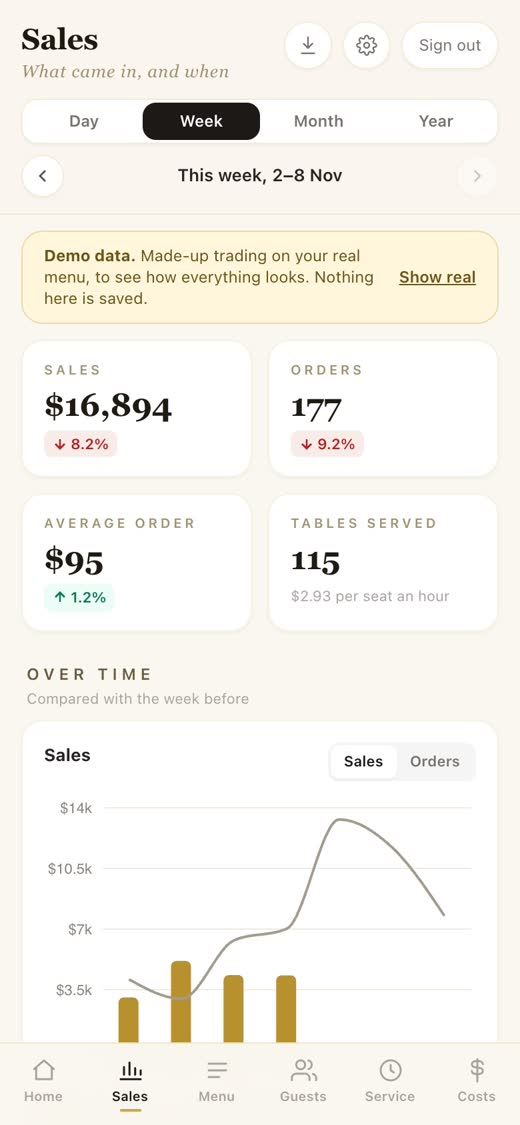
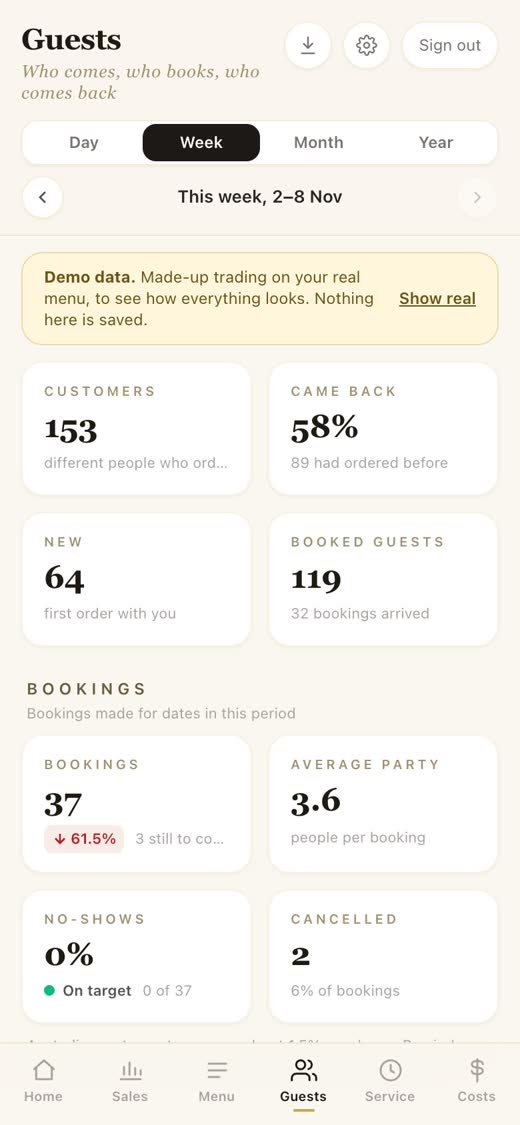
- ◆Day, week, month or year: sales, profit and orders, each compared with the same point in the period before, so a half-done week is never measured against a whole one.
- ◆Your briefing at the top: the numbers and what’s worth doing, written from the till so it never invents a figure.
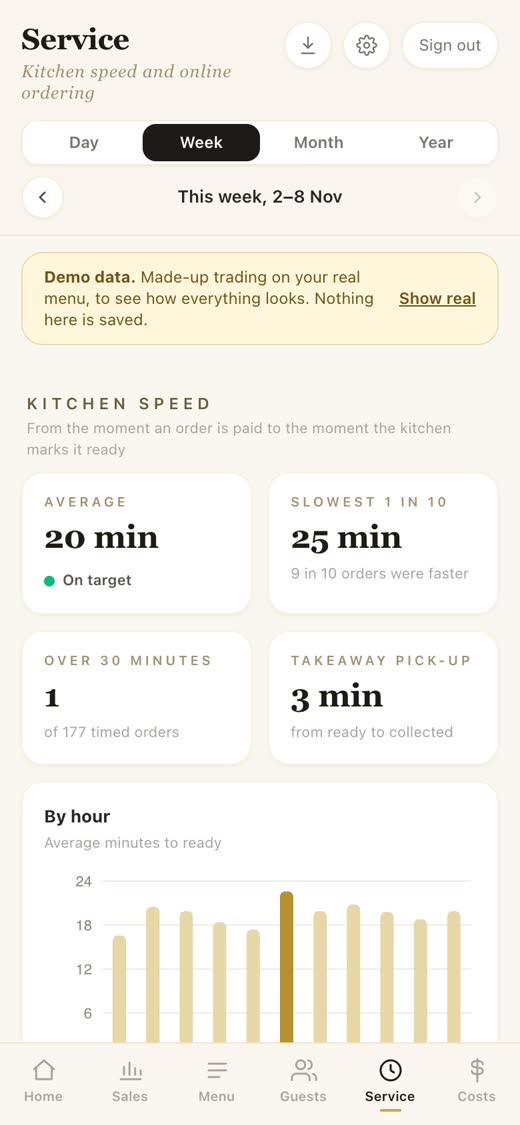
- ◆Six simple tabs: Home (your briefing), Sales (with a heatmap of your busy hours), Menu (what earns and what to drop), Guests (who comes back, bookings and no-shows), Service (kitchen times) and Costs, down to each dish.
- ◆Try it with demo data on your real menu before a single order goes through.
03 · Why I think it will help you
More covers. Fewer wages. Live numbers.
A modelled forecast for a 150-seat Mornington Peninsula pub on a busy week.
Staff to roster on busy days
order-taking and seating move to the guest’s phone, so those hours go back to the floor and your guests
Time to know your numbers
sales, profit, top sellers, kitchen times — live during service
It frees your team for other work
Today one staff member walks the floor taking orders while another stands at the host stand seating walk-ins. The app does both from the guest’s phone, so those hours go back to the floor, the bar and your guests. On a busy day that can mean you roster fewer staff and don’t need to hire as many. Kitchen, waiters and bar still need humans — the order-taker and host stand do not.
It saves your customers time
No waiting to flag someone down. No waiting at the door to be seated. On a busy night, that is the difference between a guest who orders a second round and one who walks out. Faster turn time means more covers per shift means more revenue from the same dining room.
It gives you visibility you don’t have today
The owner app shows you, live and during service, your sales and profit against last week, what sells and what earns, kitchen times, bookings, no-shows and guests who come back, and your costs down to each dish. Today these numbers exist somewhere on a spreadsheet after close.
04 · The pricing
I only profit once you do.
Building phase: free while I tune it to your floor. First 3 months live: still free from me — you only pay Stripe and SMS at cost. After that: 0.5% per order, capped at 75¢, plus Stripe and SMS at cost.
No invoice, no admin. My fee auto-deducts when Stripe settles. Stripe and SMS bill direct to your own accounts — I never mark up either one.
BUILDING PHASE
Free
While I tune it to your floor
No fee from me. We sit down, you tell me what to change, I rebuild — as long as it takes to get it right for your floor.
FIRST 3 MONTHS
Free
+ Stripe & SMS at cost
Zero fee from me. You only pay Stripe and SMS at cost — both billed direct to you. If by month 3 it isn't clearly paying off, we have a conversation before anything changes.
AFTER 3 MONTH TRIAL
0.5% / order
Capped at 75¢ · + Stripe & SMS at cost
0.5% per order, never more than 75¢. A $10 drinks order pays 5¢. A $400 group booking pays the same 75¢ as a $150 table — the cap means I never gouge your best tickets. Stripe and SMS still bill direct to you at cost. Auto-deducted at settlement.
What you'll actually pay — after the trial
Each row is one order at the size on the left. Trial columns show what you'll pay per order during the three-month free trial — processor fee + SMS only, no fee from me. After columns show what you'll pay per order after the three months, with my 0.5% included. The SMS column counts one text on every order to be safe; the app only texts for bookings, takeaway receipts, the queue and phone codes, so a dine-in order paid at the table sends none.
With Stripe Card
0.5% (75¢ cap) + 1.65% + $0.30 + SMSApple Pay, Google Pay, Visa, Mastercard, Amex. The familiar one. Australian cards at Stripe's 1.65% + 30¢ (overseas cards 3.5% + 30¢). No cap on the processor.
| Order | PubPal | Stripe Card | SMS | Trial $ | Trial % | After $ | After % |
|---|---|---|---|---|---|---|---|
| $10 | $0.05 | $0.465 | $0.075 | $0.54 | 5.40% | $0.59 | 5.90% |
| $30 | $0.15 | $0.795 | $0.075 | $0.87 | 2.90% | $1.02 | 3.40% |
| $50 | $0.25 | $1.125 | $0.075 | $1.20 | 2.40% | $1.45 | 2.90% |
| $80 | $0.40 | $1.62 | $0.075 | $1.695 | 2.12% | $2.095 | 2.62% |
| $150 | $0.75 (cap) | $2.775 | $0.075 | $2.85 | 1.90% | $3.60 | 2.40% |
| $300 | $0.75 (cap) | $5.25 | $0.075 | $5.325 | 1.78% | $6.075 | 2.03% |
| $500 | $0.75 (cap) | $8.55 | $0.075 | $8.625 | 1.73% | $9.375 | 1.88% |
With PayTo
0.5% (75¢ cap) + 1% + $0.30 (capped $3.50) + SMSDirect from the customer's bank, no card network in the middle. Processor caps at $3.50 — every dollar above $320 is processor-fee-free.
| Order | PubPal | PayTo | SMS | Trial $ | Trial % | After $ | After % |
|---|---|---|---|---|---|---|---|
| $10 | $0.05 | $0.40 | $0.075 | $0.475 | 4.75% | $0.525 | 5.25% |
| $30 | $0.15 | $0.60 | $0.075 | $0.675 | 2.25% | $0.825 | 2.75% |
| $50 | $0.25 | $0.80 | $0.075 | $0.875 | 1.75% | $1.125 | 2.25% |
| $80 | $0.40 | $1.10 | $0.075 | $1.175 | 1.47% | $1.575 | 1.97% |
| $150 | $0.75 (cap) | $1.80 | $0.075 | $1.875 | 1.25% | $2.625 | 1.75% |
| $300 | $0.75 (cap) | $3.30 | $0.075 | $3.375 | 1.13% | $4.125 | 1.38% |
| $500 | $0.75 (cap) | $3.50 (cap) | $0.075 | $3.575 | 0.72% | $4.325 | 0.87% |
05 · What I’d love your feedback on
The app isn’t finished — yet.
This is a working first version, so you can try it rather than picture it. It’s a starting point, not the finished product, and you know the venue, your staff and your regulars far better than I do. Nothing goes live until it works the way you want it to. Four questions:
Which till do you use? Then I can build PubPal to send its orders straight into it, so your staff never key anything in twice.
What’s the one thing that would make a busy Friday night easier for your staff?
What would stop you using it?
If it could fix one problem tomorrow, which one would you pick?
I want this to be the kind of tool you would be sad to lose, not one you tolerate. So I would much rather hear what is wrong with it than what is right.
06 · Where this goes next
My vision.
Imagine a packed Saturday. People moving in every direction — and yet your team is in no rush. Every order accounted for. Every plate going out on time.
A group walks in mid-sentence. A minute ago they got the message that a table just freed up. They sit straight down, order and pay from the table itself. Nobody on your floor had to greet them, seat them, or take an order.
At the next table someone asks whether the prawns are gluten free, and whether they can add a side of chips. Dava has answered and the chips are on the order before a waiter could have crossed the room.
All your team has to do is cook the food, serve the food, clear the table, and tap once to mark it ready. By the time they look up, the next group is already walking in.
Try it now.
Open it on your phone — at the bar, on a Friday lunch, wherever you'd actually use it. Tap a demo below, or walk it through first with the guide.
Step 01 · Start with the guide
Customer · Dava · Staff · Owner — every screen, step by step
Step 02 · Open the demos
Tap any one and you're inside the live app.